Resume CV Google Slide Template: A Modern Approach to Professional Presentations
For professionals seeking a fresh and visually engaging way to present their qualifications, the Resume CV Google Slide Template offers a compelling alternative to traditional resume formats. This template allows users to craft a dynamic, slide-based representation of their CV, combining clean design with functional ease. Whether you're a creative professional, freelancer, or job seeker in a competitive field, this template can help you stand out while saving time on presentation design.
What Is the Resume CV Google Slide Template?
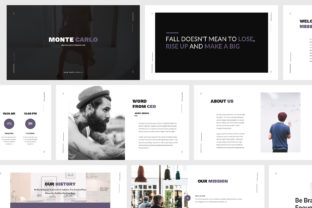
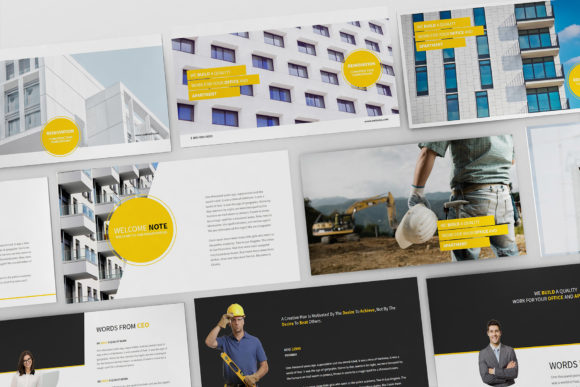
The Resume CV Google Slide Template is a professionally designed presentation kit that enables users to build a visually appealing, slide-based resume. It includes 30 unique slides, available in both Google Slides and PowerPoint formats, along with a printable PDF version. The template features a minimalist, modern aesthetic with a focus on clarity and visual impact, making it ideal for those who need to present their professional background in a presentation format.
Why Consider a Slide-Based Resume?
Traditional resumes are typically static documents, best suited for email submissions and online applications. However, there are situations where a more interactive and visually dynamic format is beneficial. Presenting your CV in a slide format allows for:
- Greater visual storytelling – Each slide can highlight a specific experience, skill, or achievement with supporting visuals.
- Improved engagement – Presenters can guide their audience through their professional journey in a structured, visually appealing way.
- Flexibility in delivery – Useful during interviews, portfolio presentations, or networking events where a live presentation adds value.
Key Features and Benefits
This template is designed with usability and aesthetics in mind. Key features include:
- 30 unique slide layouts – Offering variety for different sections such as personal introduction, work experience, skills, and contact information.
- Retina and Full HD support – Ensuring crisp visuals on any screen.
- Print-ready PDF version – For those who still need a traditional document format.
- Fully animated slides – Adding a dynamic element without overwhelming the viewer.
- Resizable vector elements – Allowing for easy customization without loss of quality.
- Included infographics, icons, and object placeholders – Enhancing visual communication with minimal effort.
Who Is This Template Best For?
The Resume CV Google Slide Template is particularly well-suited for professionals in creative industries such as:
- Fashion – Designers and stylists can showcase portfolios alongside their professional history.
- Photography – Visual professionals benefit from the ability to embed high-quality images directly into their resume slides.
- Web and graphic design agencies – Demonstrating design sensibility through the CV itself.
- Modeling and entertainment – Where personal branding and visual appeal are essential.
It's also a strong option for freelancers, entrepreneurs, and job seekers preparing for in-person interviews or portfolio reviews.
When Alternatives Might Be Better
While the slide-based format offers many benefits, it may not be the best choice for every situation. Traditional resumes remain the standard for:
- Automated applicant tracking systems (ATS) – These systems often struggle to parse non-traditional formats.
- Online job board submissions – Where file types and formatting are restricted.
- Industries with conservative hiring practices – Such as law, finance, and academia, where formal documents are expected.
In these cases, a complementary traditional resume should be used alongside the slide version to ensure compatibility across platforms and expectations.
Practical Considerations Before Using the Template
Before adopting the Resume CV Google Slide Template, consider the following factors:
- Technical proficiency – While the template is user-friendly, some familiarity with Google Slides or PowerPoint is helpful for customization.
- Access to high-quality images – The template includes image placeholders, but you'll need to supply your own visuals.
- File sharing and compatibility – Ensure your audience can access and view the file format you choose (Google Slides, PPTX, or PDF).
- Time constraints – While the template saves time compared to designing from scratch, personalizing each slide still requires effort.
How to Maximize the Value of the Template
To get the most out of the Resume CV Google Slide Template, consider the following tips:
- Keep content concise – Avoid overcrowding slides with text; use visuals and bullet points to enhance readability.
- Customize thoughtfully – Adjust colors and fonts to match your personal brand, but stay within the template’s design principles.
- Use animations wisely – Subtle transitions can enhance flow, but excessive animation may distract from content.
- Prepare a backup PDF – For situations where a static document is preferred or required.
- Practice your presentation – If you're presenting live, rehearse to ensure smooth delivery and timing.
Final Thoughts: Is the Resume CV Google Slide Template Right for You?
The Resume CV Google Slide Template provides a modern, efficient, and visually engaging way to present your professional background. It's especially valuable for creative professionals who want to demonstrate both their experience and aesthetic sensibility. However, it's important to evaluate your audience, the context in which you'll use it, and whether your target industry or platform supports this format.
If you're looking to make a strong impression in a presentation setting and want to streamline the design process, this template offers a well-rounded solution. For more traditional applications, it’s best used in tandem with a conventional resume format. Ultimately, the decision depends on your specific needs, goals, and the impression you want to make.