Making Presentations Pop with Monte Carlo - Creative Google Slides
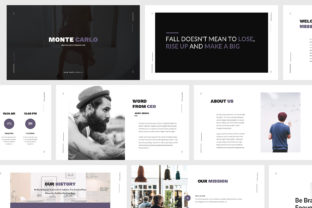
Ever felt your presentation looked a little too... generic? Like it blended into the background instead of standing out? That’s where Monte Carlo - Creative Google Slides comes in. It's not just another slide deck template — it's a professionally designed presentation toolkit built for creatives, entrepreneurs, and businesses who want to communicate their ideas clearly, beautifully, and without the headache of starting from scratch.
Why You'd Actually Use Monte Carlo
Let’s say you’re a fashion designer preparing for a pitch. Or a freelance web developer meeting a new client. Maybe you’re a photography studio owner presenting your portfolio. In all these cases, your visuals need to speak as loudly as your ideas. Monte Carlo helps you do that with a clean, minimalist, modern design that works across industries — no design degree required.
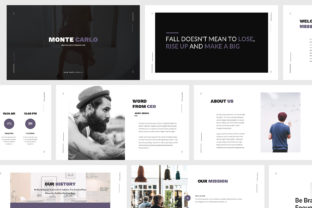
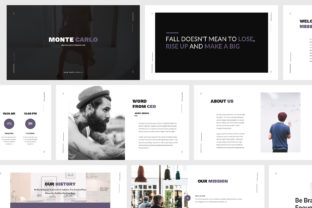
It’s especially handy when you're short on time but still want something that looks like it came from a pro agency. With 40 unique slides and a flat design aesthetic, you’re not just getting slides — you’re getting a visual language that matches the modern creative world.
Real-World Scenarios Where Monte Carlo Shines
Let’s look at how different people might use Monte Carlo in their everyday work:
- Fashion entrepreneurs can build lookbooks, brand decks, or seasonal collections with a sleek layout that feels editorial, not cluttered.
- Web agencies can create client proposals that feel polished and on-brand, using pre-designed slides that highlight services, team members, and project timelines.
- Photographers can build portfolio presentations that look like they belong in a gallery — not a PowerPoint graveyard.
- Freelancers pitching to new clients can deliver a professional presentation that shows they care about details, even if they’re working solo.
- Educators and trainers can build visually engaging lessons that keep students interested without the distraction of messy layouts.
What You Get (And Why It Matters)
Making your presentation stand out doesn’t mean you have to reinvent the wheel. Monte Carlo gives you a solid foundation — and then some:
- Fully animated slides that add motion without feeling gimmicky.
- Resizable vector elements so you can tweak visuals without worrying about pixelation.
- Overlay picture effects that make your images pop without needing Photoshop.
- Print-ready layouts in case you need to turn your slides into handouts or posters.
- Mockup devices included — perfect for showing app designs, website previews, or digital portfolios in a real-world context.
And because it's built on master slide layouts, you can easily maintain a consistent style across your entire presentation — even if you're not a design expert.
When to Consider Using Monte Carlo
If you're preparing for a client meeting, investor pitch, portfolio showcase, or even a personal project, Monte Carlo is worth considering. It’s especially useful when:
- You want to focus on content, not formatting.
- Your audience expects a high level of visual polish.
- You need to present across multiple formats — from screen to print.
- You're presenting in a creative field where aesthetics matter as much as ideas.
How Different Users Benefit
Let’s say you’re a small business owner trying to pitch to investors. You don’t have time to design a whole presentation from scratch, but you know a bad deck could cost you the deal. With Monte Carlo, you get a professional look out of the box — and you can customize it to match your brand colors and tone without breaking a sweat.
If you're a graphic designer building a portfolio, you can use the mockup devices and clean layouts to show your work in context — like a mobile app on a phone screen or a logo on a branded mockup.
For educators, the infographics and icons included help explain complex topics visually, making your lessons more engaging and easier to digest.
Things to Consider Before You Start
Monte Carlo is powerful, but it’s not magic. Here are a few things to think about before diving in:
- Customization needs: While it's easy to edit, you’ll still need to tailor the content to your brand voice and message.
- Image sourcing: The template doesn’t include images, so you’ll need to provide your own or find royalty-free visuals that fit your style.
- Learning curve: If you're not familiar with Google Slides or PowerPoint, you might need a quick tutorial to understand how to edit master slides or resize vector elements.
But once you get the hang of it, you'll find that Monte Carlo saves you time and helps you focus on what matters: your message.
Putting It All Together
Whether you're a startup founder pitching to investors, a creative freelancer showing off your portfolio, or a marketing team preparing a product launch presentation, Monte Carlo - Creative Google Slides gives you the tools to make it look great — without the stress.
It’s not about making your slides flashy. It’s about making them effective. And with its modern design, flexible layout options, and easy-to-use features, Monte Carlo helps you do just that — no design skills required.